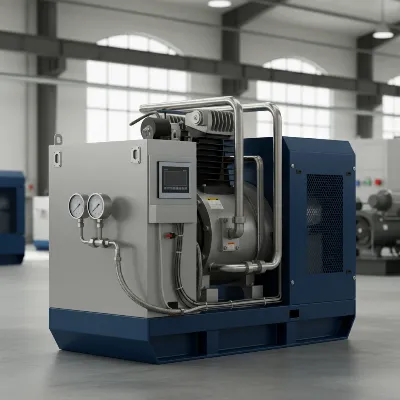
An air compressor is an indispensable tool, powering everything from garage tools to industrial machinery. When your compressor’s motor trips, it can bring your work to a grinding halt, causing frustration and delays. Fortunately, many common tripping issues can be resolved quickly, getting you back to work with minimal downtime. This comprehensive guide will walk you through the essential steps to safely reset a tripped air compressor motor and delve into the underlying reasons why it might have tripped, helping you prevent future interruptions.
Understanding Why Your Air Compressor Trips
Before attempting a reset, it’s crucial to understand why your air compressor motor might have tripped in the first place. A tripped motor is often a safety mechanism, preventing damage to the motor or electrical system from overheating or excessive load. The most common culprits include thermal overload, electrical irregularities, or mechanical resistance within the compressor itself. Recognizing these signs is the first step toward a quick and effective solution.
Step-by-Step Guide to Resetting Your Air Compressor Motor
Resetting a tripped air compressor motor is typically a straightforward process, but safety must always be your top priority. Follow these steps carefully to ensure a safe and successful reset.
1. Prioritize Safety: Disconnect Power
The very first and most critical step is to completely remove power from the unit. Never attempt to troubleshoot or reset an air compressor while it is still plugged in or connected to a live circuit.
- Unplug the Compressor: Disconnect the power cord from the wall outlet.
- Turn Off the Circuit Breaker: If the compressor is hardwired or plugged into an outlet on a dedicated circuit that has tripped, locate the corresponding circuit breaker in your electrical panel and switch it to the “OFF” position.
- Release Air Pressure: For added safety and to reduce any potential load on the motor upon restart, depress the air relief valve or use an air tool to bleed off any remaining compressed air in the tank and lines.
|
Our Picks for the Best Air Compressor in 2026
As an Amazon Associate I earn from qualifying purchases.
|
||
| Num | Product | Action |
|---|---|---|
| 1 | Craftsman Air Compressors 6 Gallon Portable Pancake Air Compressor,Oil Free Max 150 Psi 1.0HP 2.6 CFM@90PSI Electric Air Compressor Shop Air Compressor, CMXECXA02106410 |

|
| 2 | ECOMAX Air Compressor 6 Gallon 150 PSI Pancake Portable Oil-free Tank with 10 PCS Accessories Kit |
|
| 3 | Metabo HPT Pancake Air Compressor, 6-Gallon 165PSI, Portable Air Compressor with 1.0 HP Oil-Free High Efficiency Motor, Lihghtweight, Quick Couplers for Fast Tool Changes, EC711S |
|
| 4 | California Air Tools CAT-4710W 1.0 HP Quiet and Oil-Free Air Compressor with Wheels, 4.7 Gallon Steel Tank, 75 dBA Noise Level, Lightweight |
|
| 5 | Airmoto Tire Inflator Portable Air Compressor - Air Pump for Car Tires with Digital Pressure Gauge, LED Light and Auto Shut-Off Function - Cordless Pump for Car, Motorcycle, Bicycle, Ball |
|
| 6 | AC Compressor for 2000-2027 Chevy Silverado/GMC Sierra/Cadillac Escalade (4.8L/5.3L/6.0L V8) | OE Replaces 15036042, 15707611, CO29002C,78363, 78362 | A/C Compressor & Kit |
|
| 7 | Quiet Air Compressor, Only 68dB, 5 Gallon Steel Tank, 2.8CFM @ 90PSI, Oil-Free, Electric Air Compressor Perfect for Woodwork Nailing, Garage, Car, Pneumatic Tool, Includes 11 Accessories |
|
| 8 | CRAFTSMAN Air Compressor, 2 Gallon Portable Air Compressor 1/3HP Max 125 PSI Oil-Free Light Weight with 10 PCS Accessory Kit |
|
| 9 | DEWALT Tire Inflator Portable Air Compressor 20V MAX, Car Air Pump with Automatic Shut Off, LED Light, Tool Only (DCC020IB) |
|
| 10 | Tire Inflator Portable Air Compressor, 150PSI Cordless Air Pump for Car Tires with Auto Shut-Off, Portable Tire Pump for Car, Bike, Motorcycle and Balls |
|
2. Locate the Reset Button
Most air compressor motors are equipped with a thermal overload reset button designed to trip if the motor gets too hot. This button protects the motor from permanent damage.
- Visual Inspection: Look for a small, often red or black, button located on the motor housing, near the power switch, or on the control panel. It may be labeled “RESET.”
- Consult Your Manual: If you can’t find the button, refer to your air compressor’s owner’s manual for its exact location and specific resetting instructions. Some industrial units might have a reset on an electrical control panel.
3. Allow Cooling Time
A thermal overload trip means the motor has become too hot. Attempting to reset it immediately without allowing it to cool down will likely result in another trip, or worse, damage to the motor.
- Wait Patiently: Give the compressor motor at least 15-30 minutes to cool down completely. In hot environments or after extended use, it might need even longer. Ensure the area around the compressor has good ventilation to aid cooling.
4. Press and Hold the Reset Button
Once the motor has cooled, you can attempt the reset.
- Firm Press: Press the reset button firmly. On some models, you might need to hold it for a few seconds (e.g., 10-15 seconds) until you hear a distinct click, indicating that the internal switch has reset. Other models may simply require a single press.
- Verify Reset: The button should remain depressed or flush with the housing if the reset was successful.
5. Restore Power and Test
With the motor reset and cooled, it’s time to bring the compressor back online.
- Reconnect Power: Plug the compressor back into the power outlet or switch the circuit breaker back to the “ON” position.
- Start the Compressor: Turn the compressor’s power switch to the “ON” position.
- Monitor Performance: Listen for unusual noises and observe the pressure gauge. Allow it to build pressure naturally. If it trips again immediately, do not force it. This indicates an underlying problem that needs further investigation.
- Test Under Light Load: If the compressor builds pressure successfully, connect a small air tool and use it briefly to ensure stable operation before resuming heavy-duty tasks.
Common Reasons Your Air Compressor Motor Trips (and How to Troubleshoot)
A tripped motor is a symptom, not the root cause. Understanding why it’s happening is key to long-term prevention. Here are the most frequent reasons and how to address them.
Thermal Overload
The most common reason for a motor trip is excessive heat, which activates the motor’s internal thermal overload protector.
- Cause: Prolonged operation, poor ventilation, low or dirty oil, high ambient temperatures, or a partially blocked cooling fan can all lead to overheating. Starting the compressor under a full load (when the tank still has pressure) also puts immense strain on the motor, generating excess heat.
- Fix:
- Improve Ventilation: Ensure the compressor is in a well-ventilated area with ample space around it for airflow. Clean any dust or debris from cooling fins and vents.
- Check Oil Levels and Quality: Low or dirty oil increases friction and heat. Check your oil levels regularly and change the oil according to manufacturer recommendations.
- Reduce Duty Cycle: Avoid running the compressor continuously for extended periods. Allow it to rest and cool down periodically.
- Unloader Valve Function: Ensure the unloader valve is working correctly. It should release air from the pump head when the compressor shuts off, allowing the motor to start without pressure load.
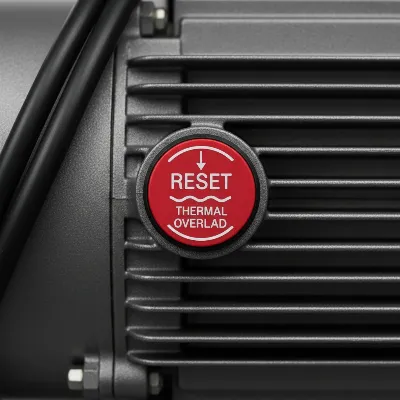 An air compressor's thermal overload button, emphasizing safety and cooling.
Electrical System Issues
Faults in the electrical supply can also cause a compressor motor to trip.
- Circuit Breaker Tripping:
- Cause: Air compressors, especially larger ones, draw a significant amount of current, particularly during startup (known as “inrush current”). An undersized circuit breaker, inadequate wiring, or other high-draw appliances sharing the same circuit can cause the breaker to trip. Low voltage at the outlet can also make the motor draw more current, leading to a trip.
- Fix: Ensure your compressor is connected to a dedicated circuit with an appropriately rated circuit breaker and wiring gauge as specified by the manufacturer. Avoid using long, thin extension cords, which can cause voltage drop and overheat. If using an extension cord, it must be heavy-duty and rated for the compressor’s power requirements.
- Faulty Capacitors:
- Cause: If your compressor motor hums loudly but fails to start, a faulty start or run capacitor is a likely culprit. Capacitors provide the initial surge of power needed to get the motor spinning.
- Fix: Capacitors can store dangerous electrical charges even when unplugged. Testing and replacing them should ideally be done by a qualified technician. Always discharge capacitors safely before handling.
- Loose Connections/Damaged Wiring:
- Cause: Loose wiring connections in the plug, power cord, pressure switch, or motor terminal box can create resistance, generate heat, and lead to electrical faults. A damaged power cord can also cause a short or inadequate power delivery.
- Fix: Visually inspect all accessible wiring and connections for signs of burning, fraying, or looseness. Tighten any loose connections. Replace damaged power cords immediately. If you’re unsure, consult an electrician.
Mechanical Resistance
Internal mechanical problems can put excessive strain on the motor, causing it to draw too much current and trip.
- Stuck Check Valve or Unloader Valve Failure:
- Cause: The check valve prevents compressed air from flowing back from the tank to the pump head when the compressor shuts off. The unloader valve releases air from the line between the pump and the check valve. If either fails to open or close correctly, the motor tries to restart against residual pressure, putting an enormous load on it.
- Fix: Inspect and clean both valves. A sticking check valve can often be freed with careful cleaning or might require replacement. Ensure the unloader valve is clear of debris and functions properly.
- Clogged Air Filter:
- Cause: A dirty or clogged air filter restricts airflow into the pump, forcing the motor to work harder to pull in air. This increased effort translates to higher current draw and heat.
- Fix: Regularly inspect, clean, or replace the air filter according to your maintenance schedule. A clean filter ensures optimal efficiency and reduces motor strain.
- Worn Pump Components:
- Cause: Over time, components like piston rings, bearings, or the pump itself can wear out, increasing friction and making the motor work harder.
- Fix: This typically requires a more involved repair or replacement of pump components. If you suspect internal pump issues, it’s best to consult a professional. You can often test for mechanical drag by manually turning the pump flywheel (with power disconnected) to see if it rotates freely.
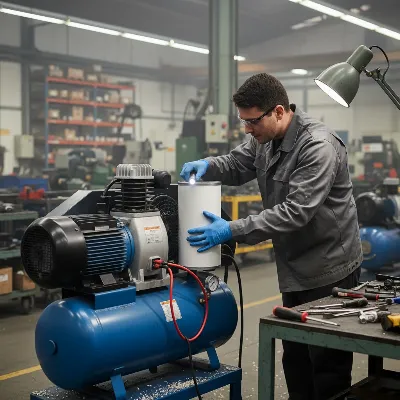 Technician performing maintenance on an air compressor, checking filters and connections.
Preventive Measures to Avoid Future Trips
Proactive maintenance and mindful operation can significantly reduce the likelihood of your air compressor motor tripping.
- Implement Regular Maintenance: Follow the manufacturer’s maintenance schedule. This includes checking and changing oil, inspecting and cleaning air filters, and checking valves.
- Ensure Adequate Ventilation: Always operate your compressor in a cool, dry, and well-ventilated area. Avoid enclosed spaces where heat can build up.
- Use Proper Electrical Setup: Ensure your compressor is on a dedicated circuit with the correct breaker amperage and heavy-gauge wiring. Avoid using undersized or excessively long extension cords.
- Monitor for Unusual Signs: Pay attention to any strange noises, vibrations, or excessive heat during operation. These can be early indicators of developing problems.
- Avoid Overloading: Do not run your compressor continuously beyond its recommended duty cycle. Allow it to rest periodically to prevent overheating.
> “Understanding your air compressor’s operating limits and committing to regular maintenance are the most effective ways to prevent unexpected downtime and costly repairs. A little attention goes a long way.” – David Chen, Lead Compressor Technician at Industrial Air Solutions
When to Call a Professional
While many issues can be resolved with DIY troubleshooting, some situations warrant professional expertise.
- Repeated Tripping: If your compressor continues to trip after multiple resets and troubleshooting attempts, there’s likely a more serious underlying issue.
- Complex Electrical Problems: Any issues involving internal wiring, motor winding faults, or capacitor replacement (if you’re not comfortable) should be handled by a certified electrician or compressor technician.
- Suspected Internal Mechanical Damage: If you hear grinding noises, excessive vibration, or if the pump doesn’t turn freely, it might indicate significant internal damage requiring specialized repair.
- Lack of Confidence: If you’re uncomfortable performing any of the troubleshooting or repair steps, it’s always safer and wiser to call a professional.
By understanding the common causes of tripping and following these guidelines, you can not only reset your air compressor quickly but also take proactive steps to ensure its longevity and reliable performance. Don’t let a tripped motor derail your projects—empower yourself with the knowledge to keep your compressed air system running smoothly.
Frequently Asked Questions
How often should I check my air compressor’s oil?
It’s generally recommended to check your air compressor’s oil level before each use or daily for heavy-duty applications. Oil changes typically occur every 100-200 hours of operation or every few months, but always refer to your specific model’s manual.
Can I use any extension cord for my air compressor?
No, using an undersized or too-long extension cord is a common cause of motor tripping due to voltage drop and overheating. Always use a heavy-duty, outdoor-rated extension cord with the correct gauge (e.g., 12 or 10 gauge for most compressors) and as short as possible, following the manufacturer’s recommendations.
What does a thermal overload button look like?
A thermal overload button is usually a small, round, or rectangular button, often red or black, protruding from the motor housing or control panel. It may be labeled “RESET” and is designed to pop out when the motor overheats.
Why does my compressor hum but not start?
A compressor motor that hums but doesn’t start often indicates an electrical issue, most commonly a faulty start or run capacitor. It can also be caused by the motor trying to start against residual air pressure if the unloader or check valve is stuck.
Is it normal for a new air compressor to trip?
While less common, a new Air Compressor can trip if there’s an electrical incompatibility (e.g., undersized circuit breaker in your workshop), a manufacturing defect, or if it’s being operated outside its specifications. If a new unit trips, re-check your power supply and consult the manual, or contact customer support.